GOOGLE AI EDUCATOR SERIES
How to Register
for the Live Session
Follow these 4 simple steps to complete your registration for the Google AI Educator Series Live Session and secure your virtual seat.
Register Now
100% Free for Educators • Limited Virtual Seats
STEP-BY-STEP REGISTRATION GUIDE
Complete Your Registration in 4 Simple Steps
Registration takes only 2 minutes.
Follow the visual steps below to complete your sign-up accurately.
1
STEP 01
Sign In or Continue
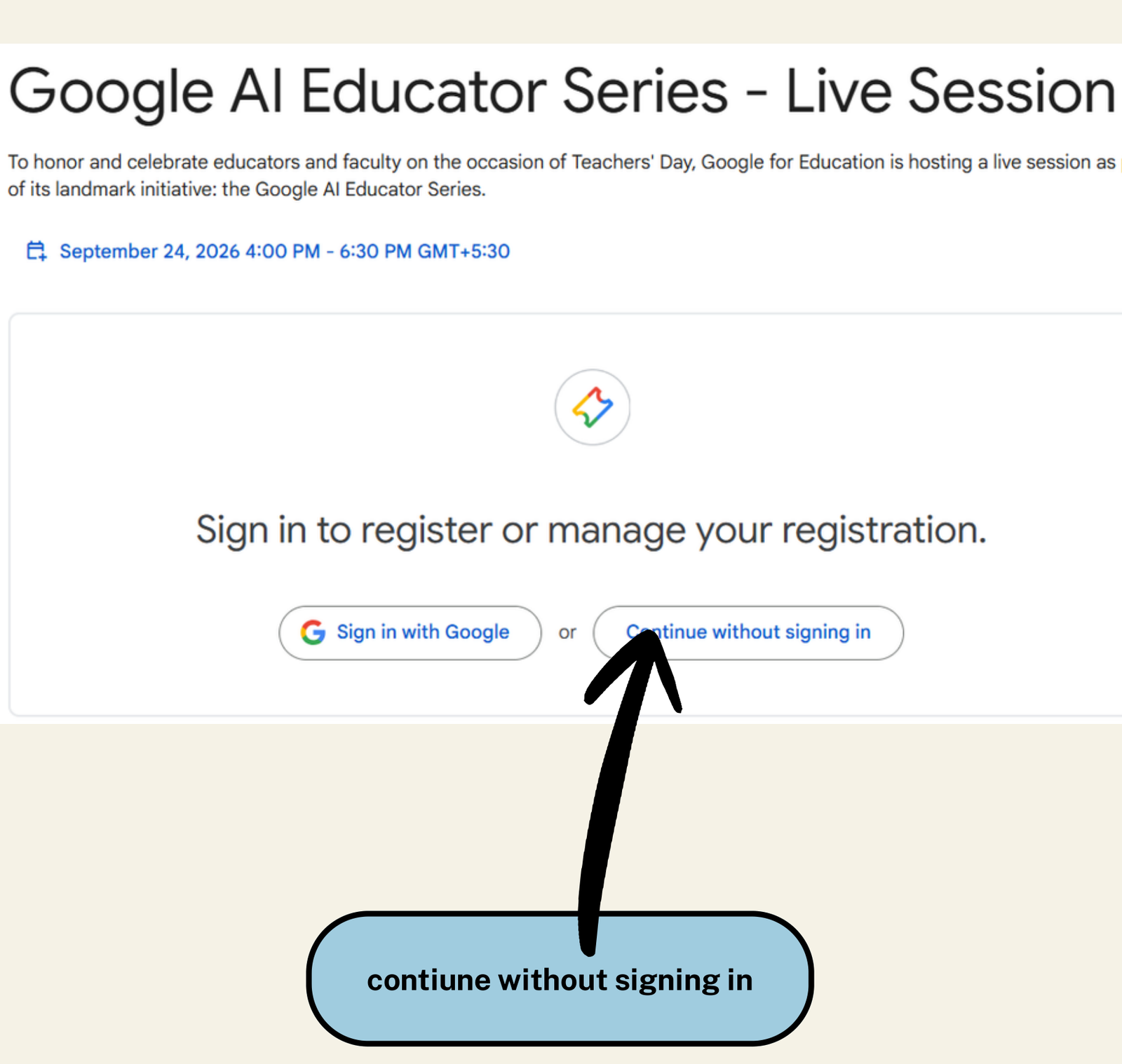
Step 1 • Welcome Screen
Action Required
-
👉
Option 1 (Recommended): Click the "Continue without signing in" button (where the arrow points). You can register directly with your email without needing a Google Account password.
-
👉
Option 2: If you prefer connecting your existing Google account, click "Sign in with Google".
You can register directly without a Google Account.
2
STEP 02
Enter Your Email
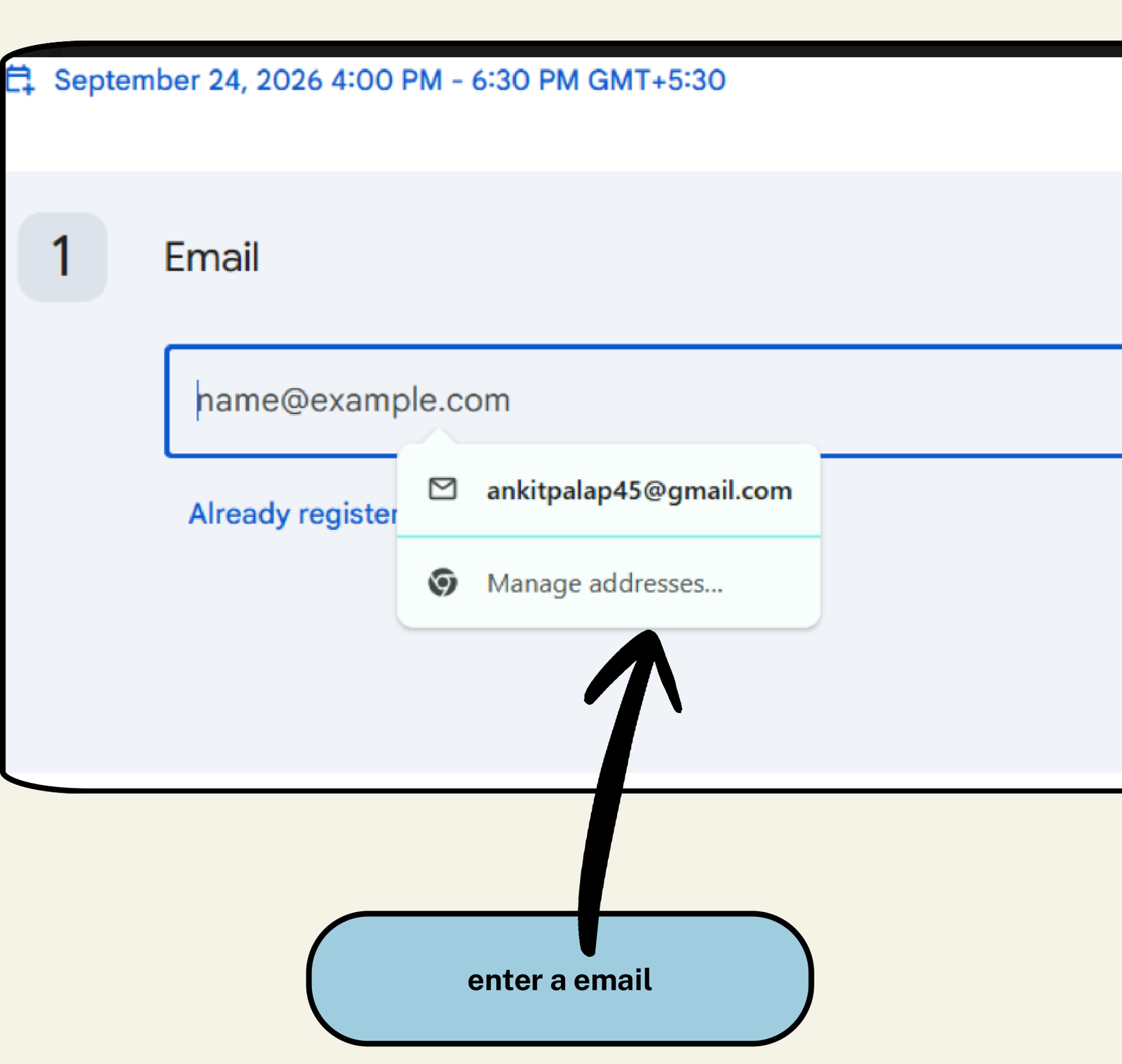
Step 2 • Verification
Field Guide
-
✉️
Email Address*: Enter your active email address (e.g.
ankitpalap45@gmail.com). -
➡️
Next Step: Click the blue "Next" button to proceed to the registration form.
Your Google Meet live session link and calendar invite will be sent to this email.
3
STEP 03
Personal & School Details
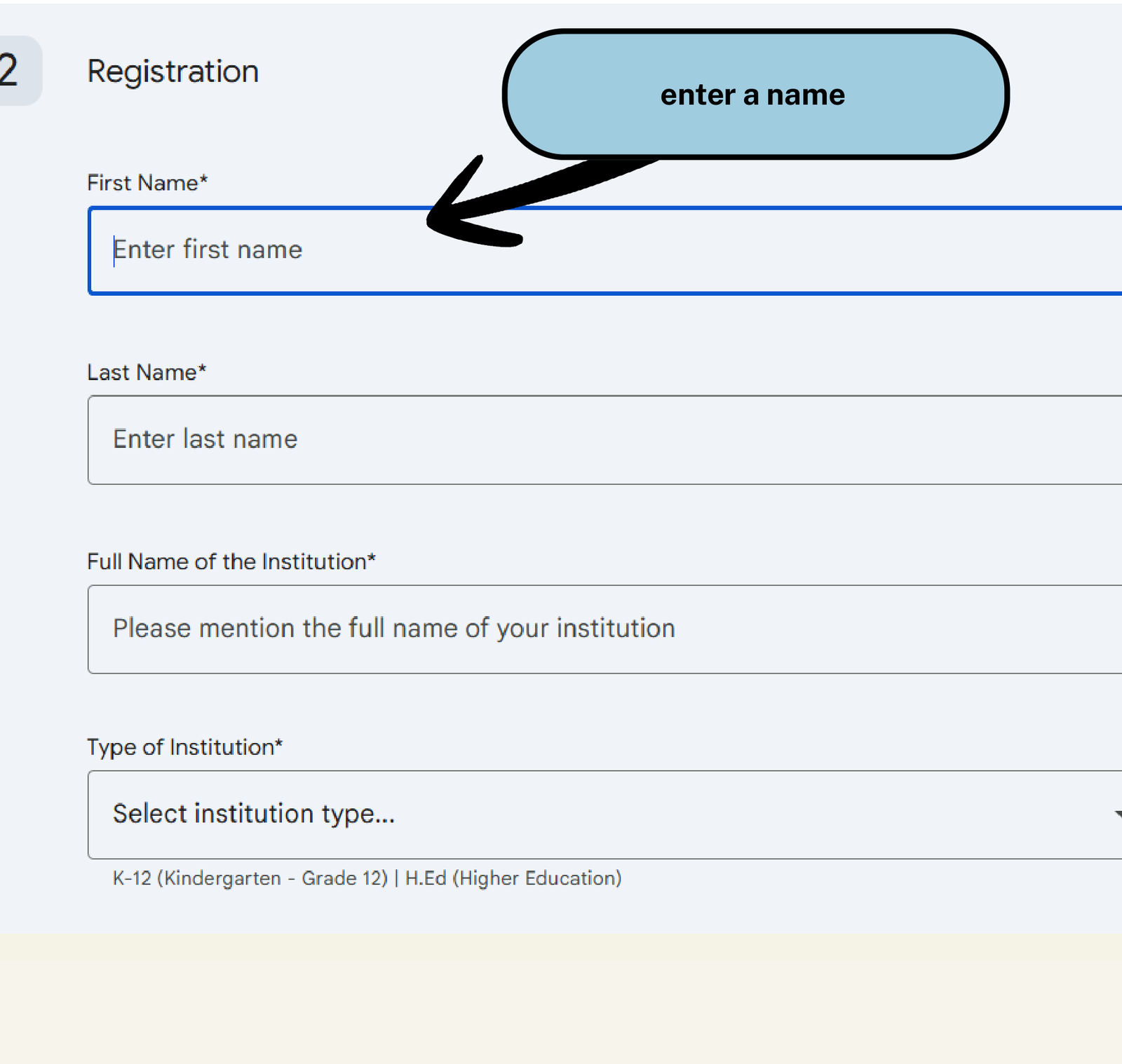
Step 3 • Educator Details
Field Guide
-
👤
First Name*: Enter your first name (e.g.
Ankit). -
👤
Last Name*: Enter your last name / surname (e.g.
Pal). -
🏫
Full Name of Institution*: Enter the official name of your school/ college/ institute.
-
🎓
Type of Institution*: Select from dropdown: K-12
Your official Participation Certificate will feature this name and institution.
4
STEP 04
Role, City & Submit
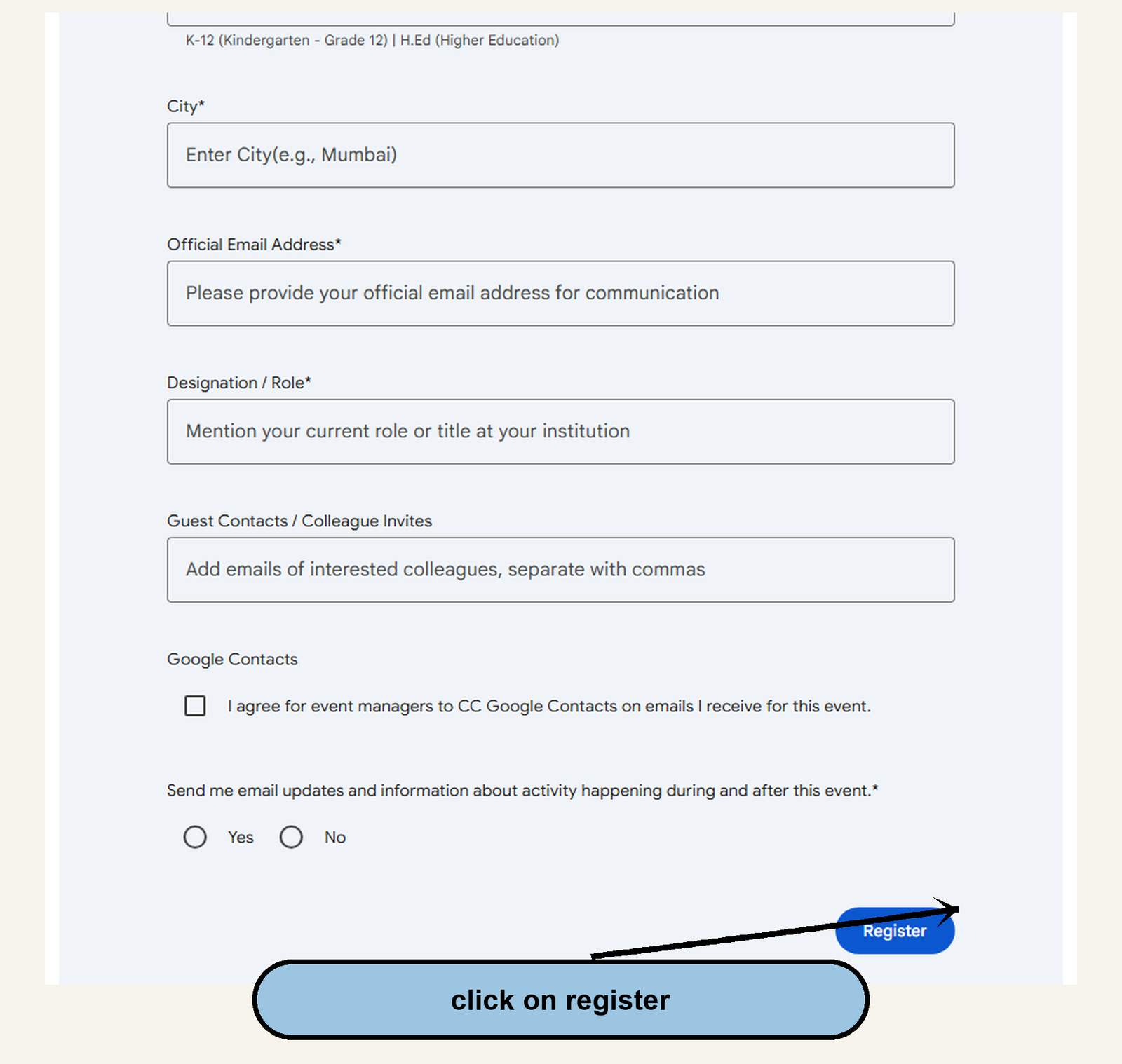
Step 4 • Finalize
Final Step
-
📍
City*: Enter your city of residence (e.g.
Mumbai,Delhi,Pune). -
💼
Official Email*: Enter your email (or repeat active email).
-
🏷️
Designation / Role*: Enter your designation (e.g.
Teacher,educator -
📬
Event Updates*: Select Yes or No for session reminders.
-
✅
Final Step: Click the blue "Register" button to submit your registration!
You will receive an immediate confirmation screen and email with your session link.
Ready to Register for the Live Session?
Secure your free spot for September 24, 2026 on the official Google registration portal.